

Jump to:
-
Why we built the Customer Portal
-
Step 1: Registering for the Portal
-
Step 2: Logging in
-
Step 3: Navigating the dashboard
-
Key features explained
-
Benefits of using the portal
-
Tips for getting the most out of the portal
-
Security and Privacy
-
Common Questions
-
Support Options
-
Take control of your vehicle loan journey
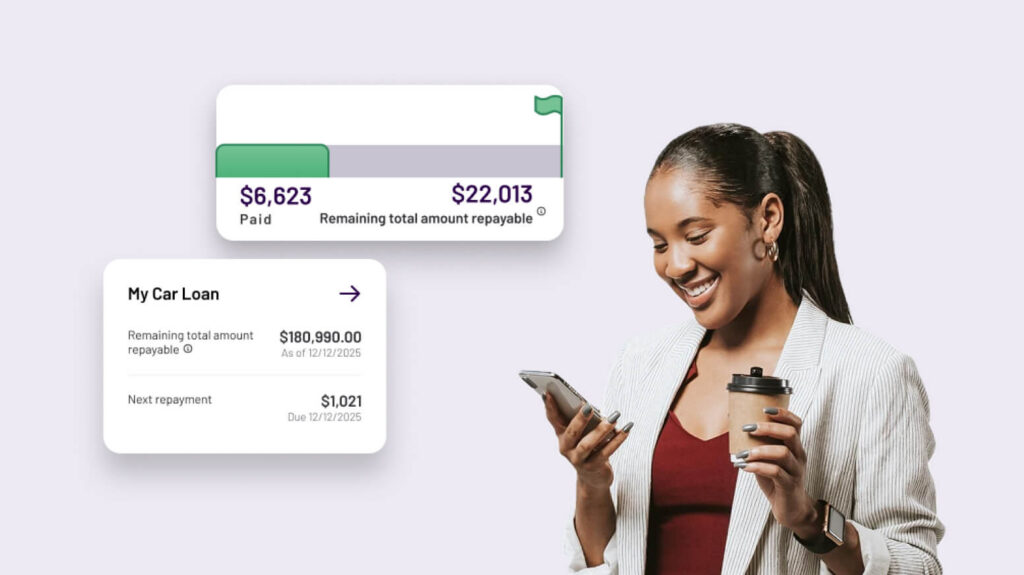
At Angle Auto Finance, we believe managing your vehicle loan should be simple, transparent, and available whenever you need it. That’s why we’ve launched the Angle Auto Customer Portal – a secure online platform designed to put you in the driver’s seat.
Whether you want to check your repayment schedule, download a statement, or see your payout figure, the portal gives you instant access to your loan information. This guide will walk you through everything you need to know how to register, how to log in, and how to make the most of the features available today. You can also watch our walkthrough of the portal from registering to navigating the features.
Why we built the Customer Portal
Drivers told us they wanted convenience and clarity. Instead of waiting on hold or digging through paperwork, you can now access your loan details online, 24/7. The portal was designed with three goals in mind:
- Self-service access: Manage your loan whenever it suits you.
- Transparency: See exactly what you owe and when repayments are due.
- Flexibility: Download documents, track balances, and stay in control.
This is just the beginning. More features will be added over time, shaped by feedback from customers like you.

Step 1: Registering for the Portal
Before you can log in, you’ll need to register. Registration is quick and straightforward:
- Visit the portal: Type my.angleauto.com.au into your browser. Alternatively, click on the Login button on the top right-hand corner of the website header and select Customer Portal.
- Click “Register”: You’ll be prompted to enter some basic personal details, such as your name, mobile number, email, and loan account information.
- Verify your identity: We’ll send a one-time PIN to your phone or email. Enter this code to confirm your registration.
- Create your login: Choose a secure password and finalise the setup of your account.
Eligibility: Registration is open to Consumer Fixed Rate Loan customers and Commercial Vehicle Loan customers (Sole Trader and Tool of Trade customers only).
Troubleshooting tips:
- If registration doesn’t work, try a different browser or device.
- Clear your cache/cookies or disable extensions.
- Ensure JavaScript is enabled.
- Avoid VPNs or proxies, which may block access.
Step 2: Logging in
Once registered, logging in is simple:
- Go to my.angleauto.com.au.
- Enter your email and password.
- Complete two factor authentication if prompted.
You’ll then be taken to your personalised dashboard.

Step 3: Navigating the dashboard
The dashboard is your central hub. It provides a summary of each loan that you hold with us. When you click into each loan, you’ll find:
- Loan summary: See your remaining total amount repayable and upcoming repayment dates.
- Statements: View or download transaction statements for your records.
- Payout figure: Access your loan payout figure if you’re considering refinancing or paying off your loan early.
Each section is clearly labelled, making it easy to find what you need.

Key features explained
1. Track Your Loan Balance
The portal displays your Remaining Total Amount Repayable, which includes the outstanding loan principal plus interest, fees, charges, and any balloon payment. This gives you a complete picture of what’s left to pay over the life of your loan, helping you plan ahead with confidence.
Tip: Transaction statements show your Current Balance, which may differ from the total repayable figure.
2. Upcoming Repayments
Stay on top of your schedule with clear repayment dates and amounts – you’ll see the previous and future 10 repayments. No more guessing or digging through paperwork. Consumer Fixed Rate Loans allow weekly, fortnightly, or monthly repayments, while Commercial Vehicle Loans are monthly only.
3. Transaction Statements
Need a record for tax purposes or personal budgeting? Download your transaction statement in seconds.
How to download:
- Go to the “Contract Summary” page.
- Navigate to the “Transactions” tab.
- Select “View your statements.”
- Choose the type and period.
- Click “Download” or “Email.”
4. Loan Payout Figure
Thinking about upgrading your vehicle, refinancing or need evidence for tax/insurance purposes? The portal provides your payout figure instantly, so you know exactly what’s required.
How to generate:
- Go to “Manage Loan.”
- Select “Calculate Loan Payout Quote.”
Important note: Paying out early may incur fees or charges. If a quote is still valid, the system won’t generate a new one.
Benefits of using the portal
- 24/7 access: Check your loan details anytime, anywhere.
- Paperless convenience: Download documents without waiting for mail.
- Peace of mind: Stay informed and avoid surprises.
- Future features: As the portal evolves, you’ll gain access to even more tools.
Tips for getting the most out of the portal
- Log in regularly: Make it a habit to check your dashboard once a month.
- Download statements: Keep digital copies for your records.
- Use the payout figure tool: If you’re considering trading in your vehicle, this feature is invaluable.
- Provide feedback: Your input helps shape future updates. One of the best ways to share your experience is by completing any surveys we send you. These surveys are a key source of feedback and help us improve the portal to better meet your needs.

Security and Privacy
Your information is protected with industry standard security measures:
- ISO 27001 certification
- Encryption and firewalls
- One‑time PIN verification
- 24/7 monitoring
Always keep your login details secure and avoid using public Wi‑Fi when accessing sensitive information.
Fraud awareness: We’ll never ask for personal details via SMS. Legitimate emails always come from “@angleauto.com.au” or “@edm.angleauto.com.au.”
Common Questions
1. I can’t log in to the Customer Portal. What should I do?
Make sure you’re using the email address or mobile number you registered with. Double‑check for typos and ensure your internet connection is stable.
2. What if I forget my password?
Click the “Forgot Password” link on the login page. You’ll receive a one‑time PIN (OTP) via email or SMS to reset your password securely.
3. Can I register multiple loans?
Yes, if you have more than one eligible loan, you can access them through the portal.
4. My account is locked after too many failed login attempts. How do I unlock it?
If your account is locked, follow the instructions sent to you by email or SMS. These will guide you through unlocking your account and regaining access.
5. I didn’t receive my one‑time PIN (OTP). What should I check?
Confirm that your registered email or mobile number is correct. Also, check your spam or junk folder if the OTP email doesn’t appear in your inbox.
6. Why does my registration keep failing?
Try switching to a different browser or device, clear your cache and cookies, and make sure JavaScript is enabled. Avoid using VPNs or proxies, as these can block access.
Support Options
If you need help, we’re here to support you. You can reach out to us via our Contact Us page or call us on 1300 561 868 (Monday to Friday, 8:30am – 5:30pm AEST).
Take control of your vehicle loan journey
Managing your vehicle loan shouldn’t feel complicated or stressful. With the Angle Auto Customer Portal, you have everything you need right at your fingertips—clear repayment details, instant access to statements, and the confidence of knowing your payout figure whenever you need it. It’s designed to give you freedom, flexibility, and peace of mind, so you can focus on enjoying the drive rather than worrying about paperwork.
Getting started takes only a few minutes, and once you’re registered, you’ll have 24/7 access to your loan information. Whether you’re planning ahead, considering an upgrade, or simply want to stay on top of your finances, the portal is here to make life easier. Head to my.angleauto.com.au today and take control of your journey.